 MobAI
Download
MobAI
Download
Give your agent the app, not just the code.
MobAI shows your agent the running app on any iOS or Android device. It taps, types, reads the screen and checks its own changes before handing them to you.
Claude Code v2.1.289
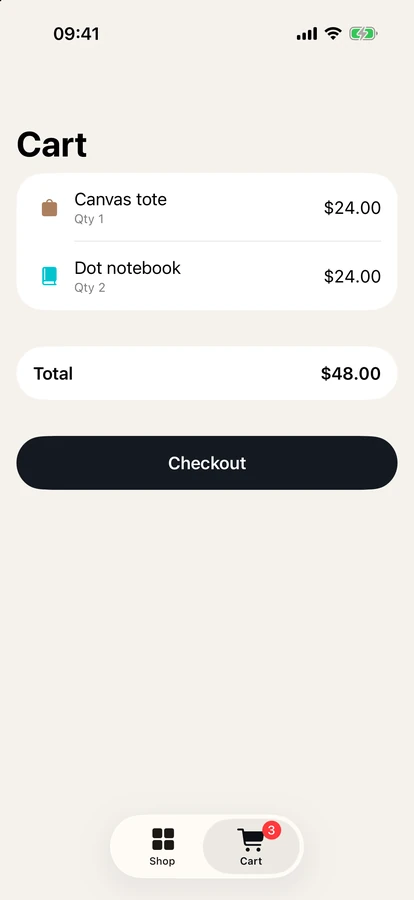
› add a tote and two notebooks to the cart and check the total
● Signing in with the test account, then adding the Canvas tote and two Dot notebooks.
  Called mobai

● Cart has the Canvas tote ($24) and two Dot notebooks ($24). The total is correct: $48.00.

* Baked for 38s · done 9:41 AM
Everything you'd do with your thumbs, and a few things you can't
- Read the UI tree and take screenshots
- Tap, type, swipe and scroll by label
- Stream device logs while it works
- Set GPS location
- Work inside Safari on a real iPhone, and Chrome and WebViews on Android
Start with what's already on your machine
iOS simulators on macOS and Android emulators show up automatically.
Plug in a phone
Real iPhones and Android phones over USB, detected as soon as you connect them. An iPhone needs a one-time setup with your Apple ID.
The phone doesn't have to be next to you
Reach a phone on another machine over your LAN or Tailscale.
Foldables count too
Test foldable layouts on the iOS simulator, including the fold action.
Every phone, at the same time
Run one check on every connected phone and simulator at once. They run side by side, so you wait for the slowest device, not for each one in turn.
Need more simulators? Our open-source simslim switches off the background services a simulator doesn't need.
- 4.0 GB → 0.9 GB per simulator
- 12 simulators on a 16 GB Mac, up to 19 in our tests
- iPhone Duo
- iPhone 18 Pro
- iPhone 17 Pro
- iPhone 18 Pro Max
- iPhone Duo27.7s
- iPhone 18 Pro22.5s
- iPhone 17 Pro10.2s
- iPhone 18 Pro Max22.5s
Your team's phones, in one list
Every machine running MobAI can share its devices. Phones and simulators plugged into a teammate's laptop, the office Mac or a server in the rack show up in your device list, and your agent uses them like its own.
- Machines on your LAN or tailnet find each other on their own
- Any other machine you can reach over the network joins by address
- One person at a time: a phone in use is marked, and nobody can drive it from under you
- Works with MCP, the CLI and the HTTP API, so agents don't need to know where the phone is
- Each machine decides whether to share. Others need its access token to connect
Use the device farm you already pay for
Connect BrowserStack, Sauce Labs or AWS Device Farm and run the same flows on their devices.
Each provider shows up as its own group in the device list, with its real phones, simulators and emulators. Start one, and your agent drives it with the same tools as the phone on your desk.
- Real iPhones, iPads and Android phones
- iOS simulators and Android emulators
- Provider keys stay in your OS keychain
Use MobAI from whatever your agent speaks
MCP
Built into the app. Claude Code, Codex, Cursor and any MCP client.
CLI
For scripts and terminals.
HTTP API
For any language.
Built-in agent
Describe the task in the app. Use your own AI provider key, or a local model with Ollama.